What is .NET Aspire?
What is .NET Aspire?
From Microsoft’s website:
.NET Aspire is a set of powerful tools, templates, and packages for building observable, production ready apps. .NET Aspire is delivered through a collection of NuGet packages that handle specific cloud-native concerns. Cloud-native apps often consist of small, interconnected pieces or microservices rather than a single, monolithic code base. Cloud-native apps generally consume a large number of services, such as databases, messaging, and caching.
.NET Aspire is a collection of tools, it is not a framework like ASP.NET MVC or Blazor, you can architect your application in many different ways, even creating a monolithic application (although that’s not the goal of .NET Aspire).
Why .NET Aspire?

Stolen from Microsoft’s website, again:
.NET Aspire is designed to improve the experience of building .NET cloud-native apps. It provides a consistent, opinionated set of tools and patterns that help you build and run distributed apps.
.NET Aspire primarily focuses on the local development experience, you can still keep your pre existing CI/CD pipelines, infrastructure, it is not designed to replace anything like Kubernetes. Later we will see how you can actually generate Kubernetes manifests from your .NET Aspire manifests.
Orchestration
For development .NET Aspire provides an orchestration project
called the AppHost that will start all your services, databases,
and which you can run through Visual Studio or the command line.
This provides the orchestration with abstractions that allow you
to move fast, while feeling at home in the .NET ecosystem.
Below we can see an example of a DistributedApplicationBuilder,
if you are familiar with ASP.NET Core’s WebHostBuilder you
will feel right at home. We simply add services to the builder,
and can pass those as references to other projects.
// Create a distributed application builder given the command line arguments.var builder = DistributedApplication.CreateBuilder(args);
// Add a Redis server to the application.var cache = builder.AddRedis("cache");
// Add the frontend project to the application and configure it to use the// Redis server, defined as a referenced dependency.builder.AddProject<Projects.MyFrontend>("frontend")       .WithReference(cache)       .WaitFor(cache);
Integration
For each resource (Redis, SQL Server, Azure Service Bus, etc.) there exists a NuGet package for both the AppHost and the project which references these resources. All the connections, docker images, and network complexity is abstracted away from you, so you can simply focus on your business logic. A list of the different .NET Aspire integrations can be found here.
Project templates and tooling
.NET Aspire comes with a couple different project templates
but what they have in common are the AppHost and ServiceDefaults
projects.
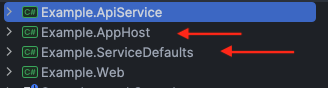
We will explore these in more detail, but with these projects
we get the previously mentioned orchestration and integration
as well as OpenTelemetry, default health checks, and the
service discovery and networking.
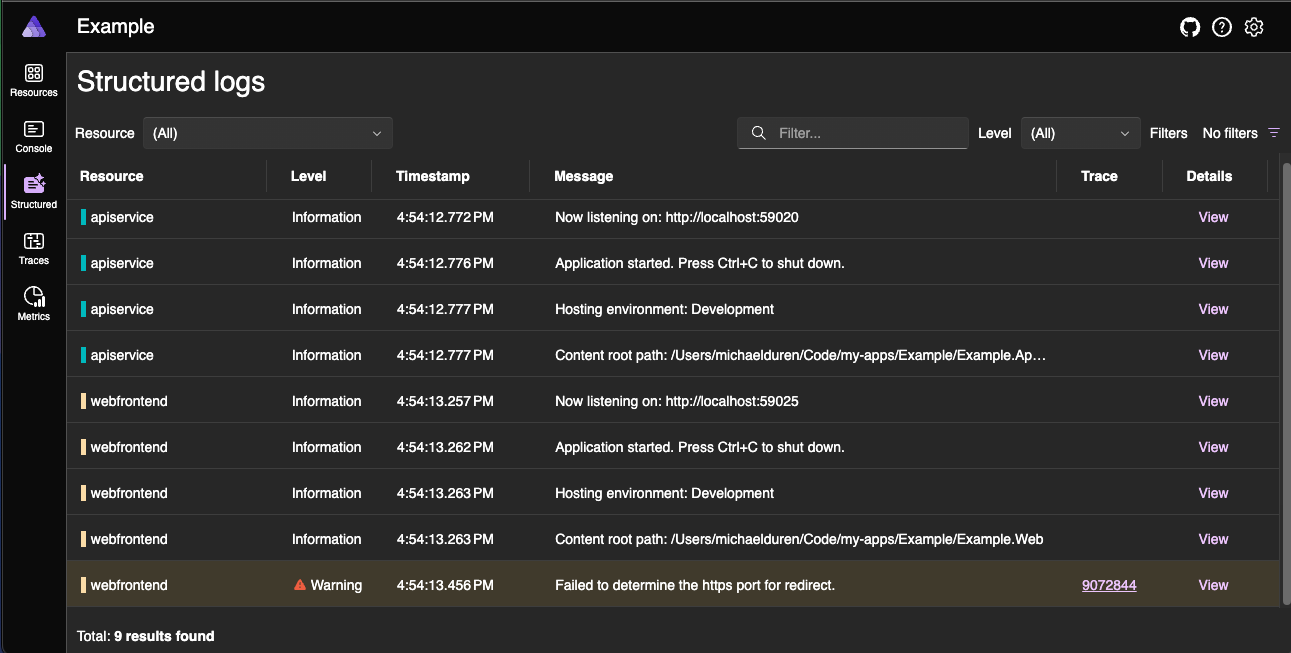
Also included is a dashboard that you can use to explore the state of your services in a variety of granular ways.