Adding integrations to a project
So we’ve created a project, reviewed the starter code, but how do we start adding resources to our project?
When adding resources (called integrations by the .NET team) to the project there are usually two nuget packages per integration. One for the app host which configures the docker or podman image, adds health checks and telemetry, and another for the client or consumer of the resource.
Creating a PostgreSQL Integration
Lets take a look at adding a PostgreSQL database to our project. First we need to add the app host integration nuget package:
<ItemGroup> <PackageReference Include="Aspire.Hosting.AppHost" Version="8.2.2" /> <PackageReference Include="Aspire.Hosting.PostgreSQL" Version="8.2.2" /></ItemGroup>In Program.cs add the following lines:
// Creates the postgres containervar todosdb = builder.AddPostgres( name: "todos", port: 5433 ) // Creates the database .AddDatabase("todosdb");If you don’t specify the port a random port will be assigned, I prefer using a pre defined port so I can save connections in my IDE.
Now hit either F5 or dotnet run and you will see the following
in the dashboard:
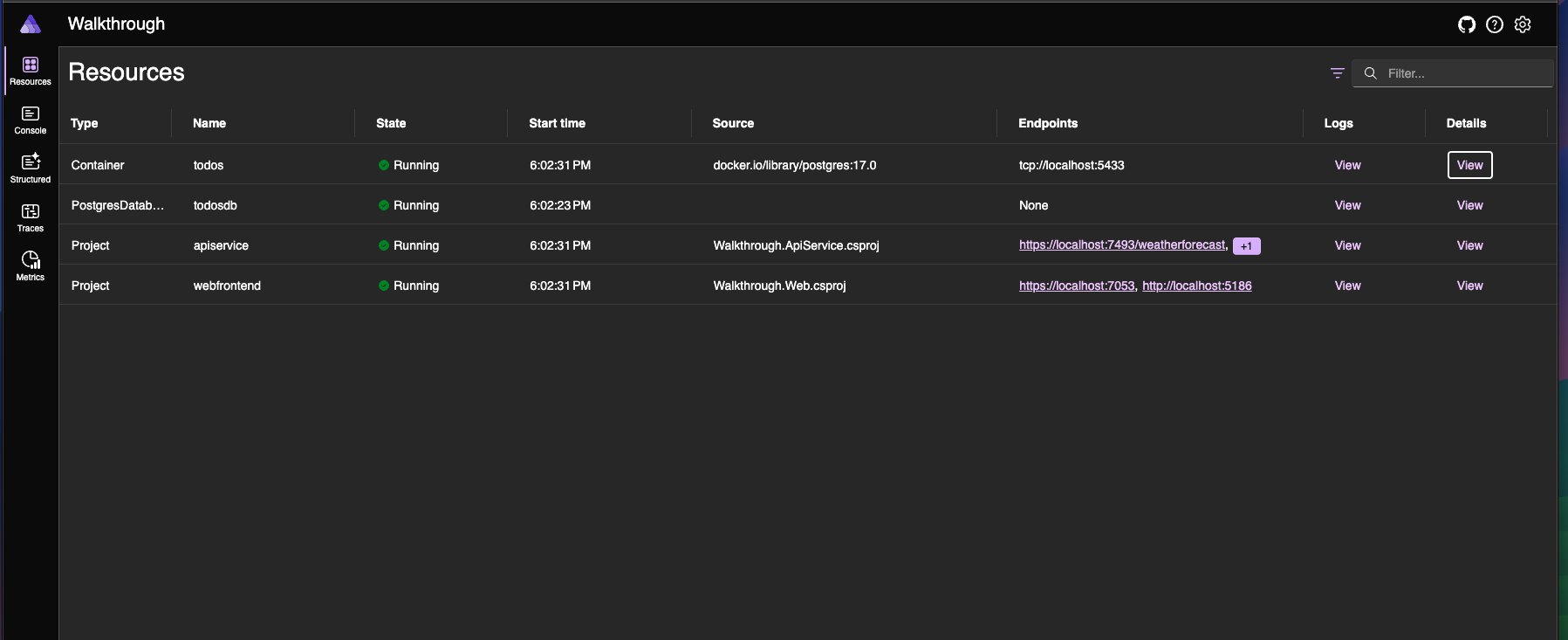
There is a row for both the container and the database. We can see that the container has Logs and Details that contain the credentials as well as container information.
Connecting a service to the database
For everyones favorite coding project we can quicly create
a Todo restful API.
# create a new webapi projectdotnet new webapi -o Todo.Service && \# add the service to the solutiondotnet sln add Todo.Service && \# add the necessary referencescd Walkthrough.AppHost && dotnet add reference ../Todo.Service && \cd ../Todo.Service && dotnet add reference ../Walkthrough.ServiceDefaults && \cd ..We’ll add a Models/Todo.cs entity.
namespace Todo.Service.Models;
public class Todo{    public int TodoId { get; set; }    public string Title { get; set; } = null!;    public bool IsComplete { get; set; }    public DateTime? CompletedAt { get; set; }    public DateTime DueDate { get; set; }}
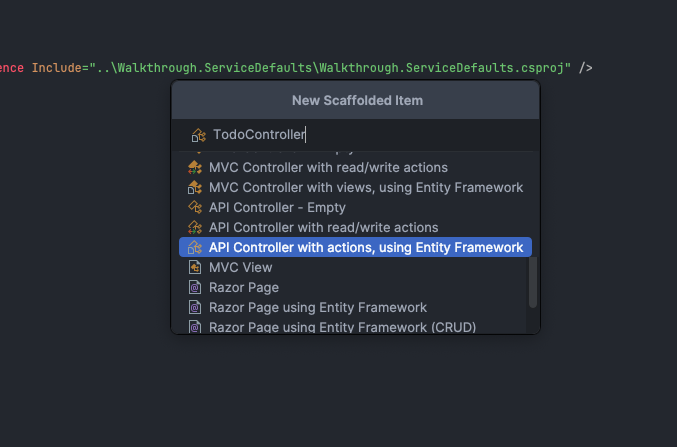
And create a new scaffolded API. In Rider follow the screenshots below:
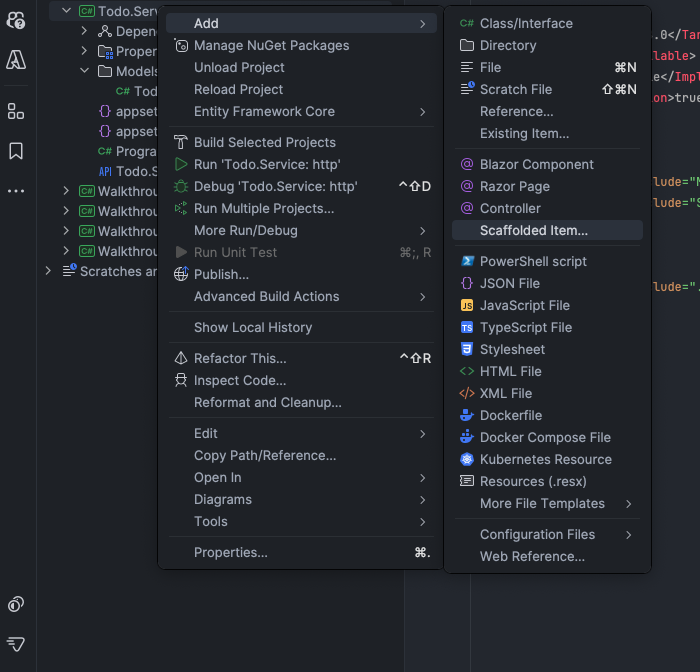
Select the API Controller with actions, using Entity Framework option,
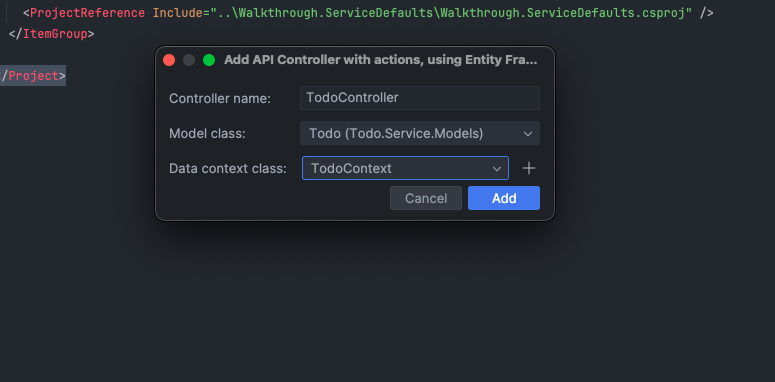
Entering in the name of the controller.
Click the plus icon and enter TodoContext.
After you click Add Rider will install the necessary EF Core
packages and scaffold our DbContext, APIs, and update the
Program.cs builder.
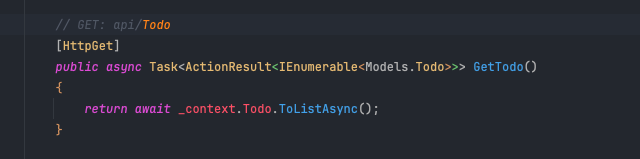
Lastly we’ll need to update the namespace for the Todo entity
since there is a naming conflict.
We’ve scaffolded our service, now to connect our database to it.
In Walkthrough.AppHost/Program.cs we’ll add our service
with a reference to the postgres database.
builder.AddProject<Projects.Todo_Service>("todoservice") .WithReference(todosdb);Next add the Aspire.Npgsql.EntityFrameworkCore.PostgreSQL package
to the Todo.Service.
<PackageReference Include="Aspire.Npgsql.EntityFrameworkCore.PostgreSQL" Version="8.2.2" />Next update the Todo.Service/Program.cs to use the Aspire
PG package.
builder.Services.AddDbContext<TodoContext>(options => options.UseSqlite(builder.Configuration.GetConnectionString("TodoContext") ?? throw new InvalidOperationException("Connection string 'TodoContext' not found.")));builder.AddNpgsqlDbContext<TodoContext>("todosdb");Next update our Program.cs to use controllers and migrate
our context when the application starts.
using Microsoft.EntityFrameworkCore;using Microsoft.Extensions.DependencyInjection;
var builder = WebApplication.CreateBuilder(args);builder.AddNpgsqlDbContext<TodoContext>(connectionName: "todosdb");
// Add services to the container.// Learn more about configuring Swagger/OpenAPI at https://aka.ms/aspnetcore/swashbucklebuilder.Services.AddControllers();builder.AddServiceDefaults(); // Aspire service defaultsbuilder.Services.AddEndpointsApiExplorer();builder.Services.AddSwaggerGen();
var app = builder.Build();
// Configure the HTTP request pipeline.if (app.Environment.IsDevelopment()){    app.UseSwagger();    app.UseSwaggerUI();
    using (var scope = app.Services.CreateScope())    {        await using var context = scope.ServiceProvider.GetRequiredService<TodoContext>();        await context.Database.MigrateAsync();    }}

app.UseHttpsRedirection();
app.MapControllers();
Finally we need to add the migration to the service.
cd Todo.Service && dotnet ef migrations add InitialCreateNow when we start our AppHost and click on the Todo.Service
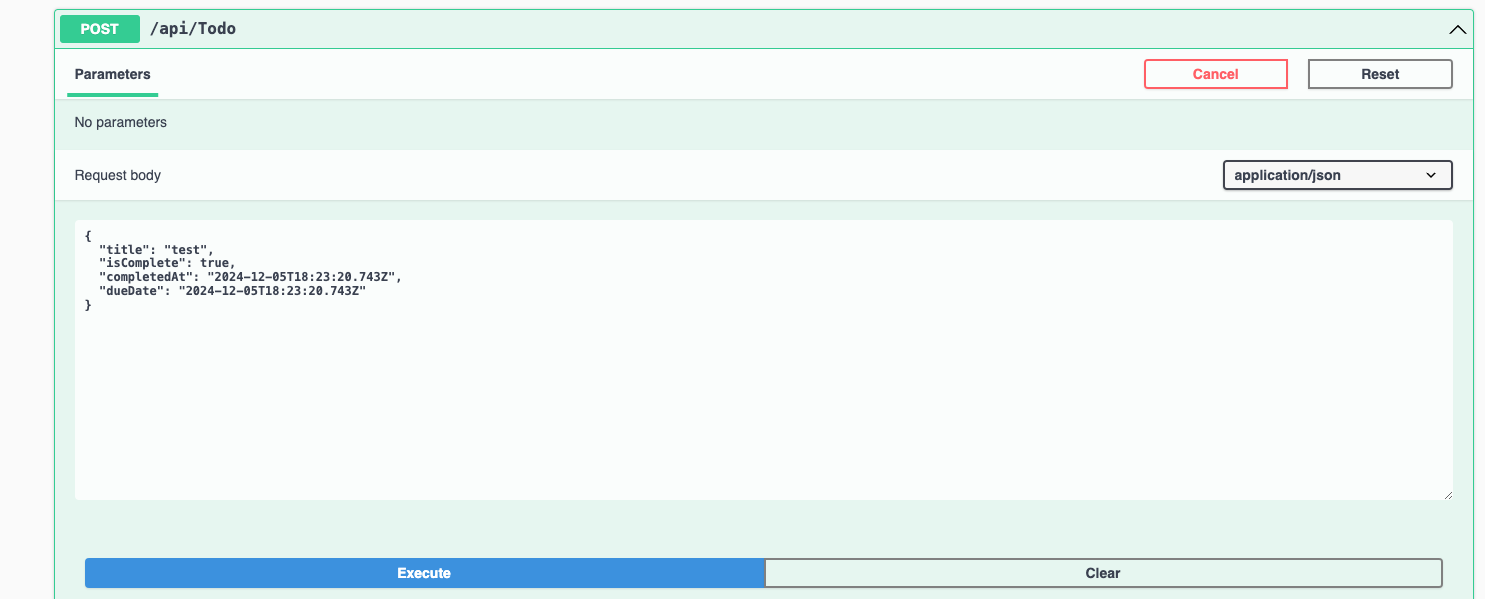
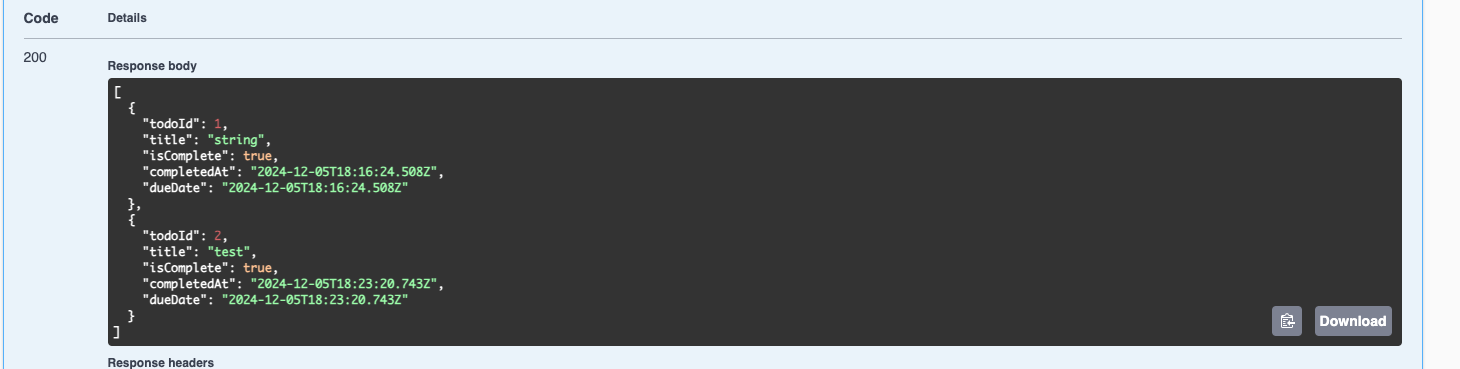
link we can start executing our endpoints.